Every request, your way
Employee requests and approval workflows, on one platform your organisation shapes itself.
From leave and salary advances to purchase requisitions and IT support: design each employee self-service with its form, its approval workflow and who may use it, without writing code. Everyone follows what concerns them, on the web and on their phone.
- Arabic first, with English
- On your servers or in the cloud
- Web, Android and iOS

- Right to left by design
- WCAG 2.2 AA
- OpenID Connect
- Active Directory and LDAP
- Claude, OpenAI and Gemini
- OpenAPI 3.1
- Runs without internet access
Why Minwal
Internal requests cost more time than they should
In many organisations a request is still a paper form passed from desk to desk, an email lost in a thread, or a spreadsheet only its author can read. Minwal turns all of it into one online workflow.
Nobody knows where a request is
The employee asks, the manager is asked, and days pass without anyone seeing who holds the request now and why it is late.
Every new service is a software project
Changing a form or adding an approval stage waits for IT, so procedures stay as they were even after the policy has changed.
Authority lives in people's heads
Who approves what, who stands in for whom, who may see a request: rules applied by habit, never checked.
Every audit starts from scratch
At audit time the record is rebuilt from emails and paper, with no proof that it is complete or unaltered.
How it works
In Minwal, a service is a form, a workflow and an access policy
The three are designed together and published as one version. A published version never changes: an edit becomes a new version, and every request stays on the version it was submitted under.
The form
What the employee fills in: fields of every kind, rules that show, hide and require, linked lists and files.
The workflow
Who decides and in what order: stages one after another or side by side, conditional branches, deadlines and escalation.
The access policy
Who sees the service, who may request it and who may read other people's requests, in allow and deny rules the server enforces.
A published service
Employees find it in the catalogue; requests in progress stay on the version they started with.
From idea to service
- 1
Design
Start from a ready template or from scratch in the service designer, or describe the service in your own words and let AI draft it.
- 2
Test
Simulate the workflow for a chosen employee, or run the whole service in test mode.
- 3
Approve and publish
Publishing can require a second person's approval before it reaches employees.
- 4
Follow
Insights, reports and an audit trail of everything that happens.
Inside the product
Built for everyone who touches a request
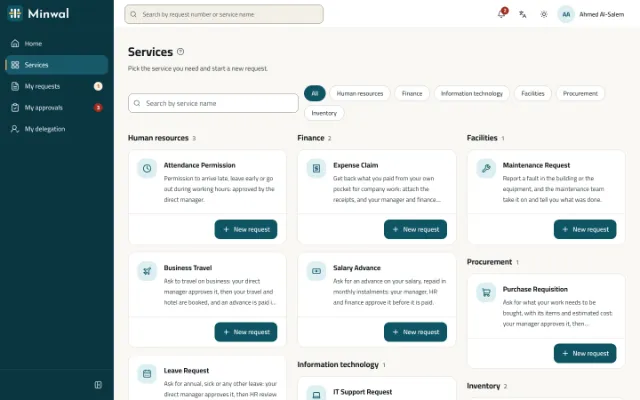
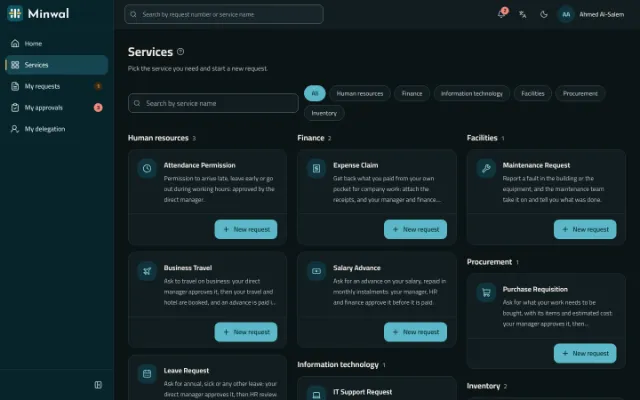
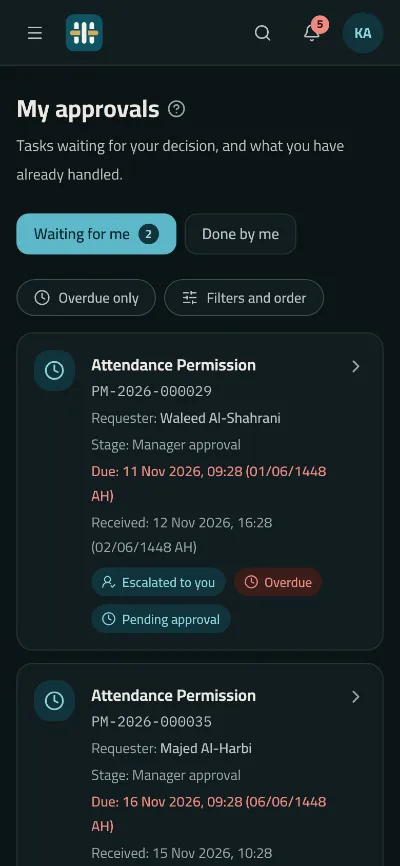
These are screens of the product itself, from its demonstration company, in your language and theme.
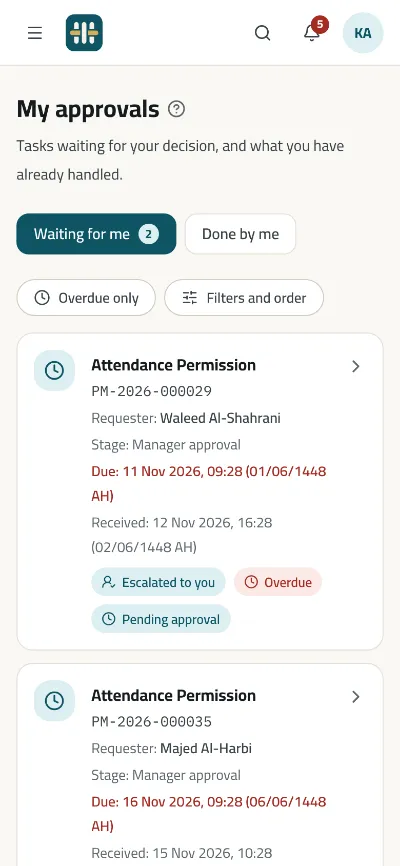
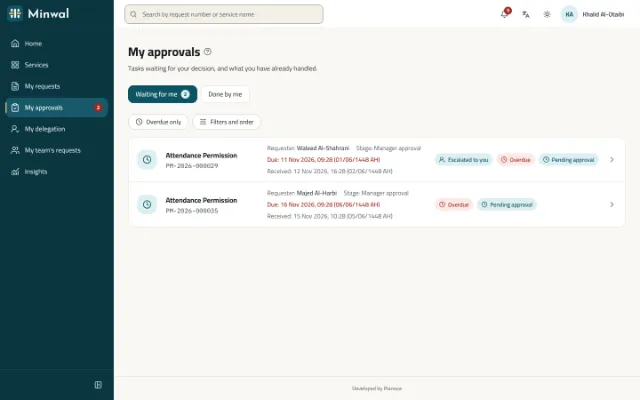
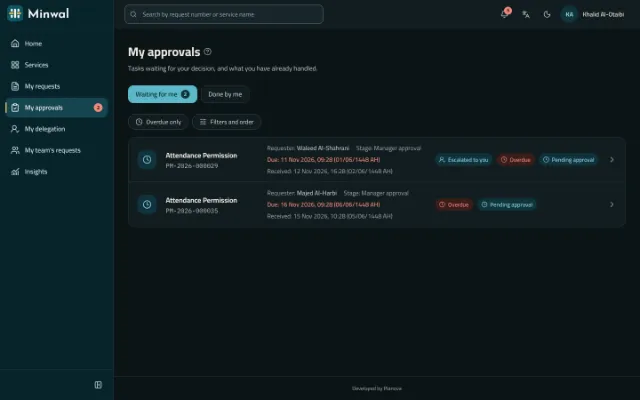
My Approvals: what waits for you, soonest first
Tasks are sorted by deadline, late ones stand out and those delegated to you are marked. Narrow them by service, unit, priority or the day they reached you, and order them as you like. Where a service allows it, several are approved together, each still checked on its own.
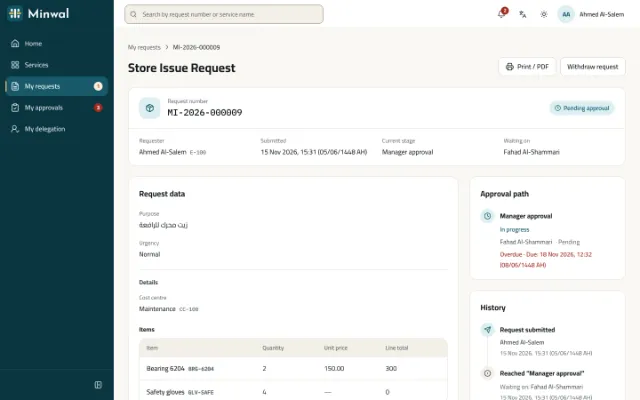
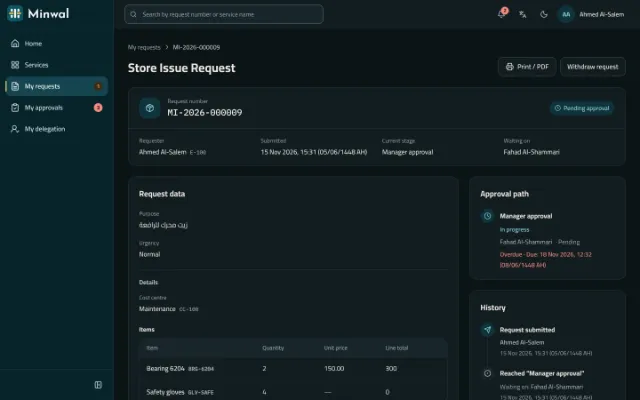
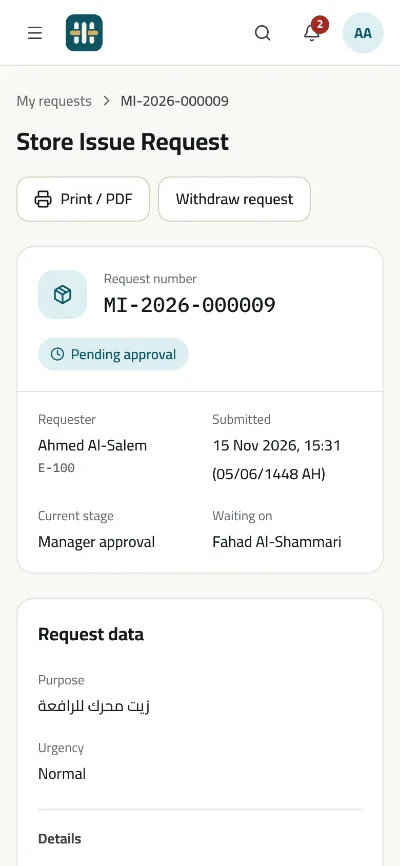
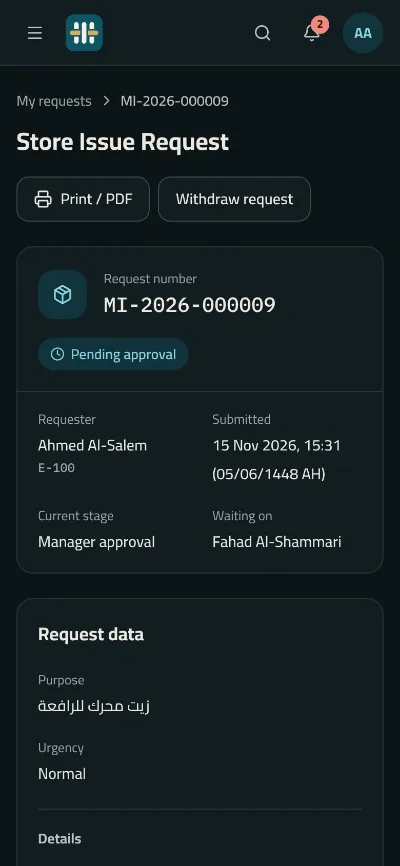
A request as it stands: its data, its path, its files
The requester sees where it is, whose decision it waits for and by when, the files they or anyone along its path added, and its full history, and can print it as a PDF with a verification code.
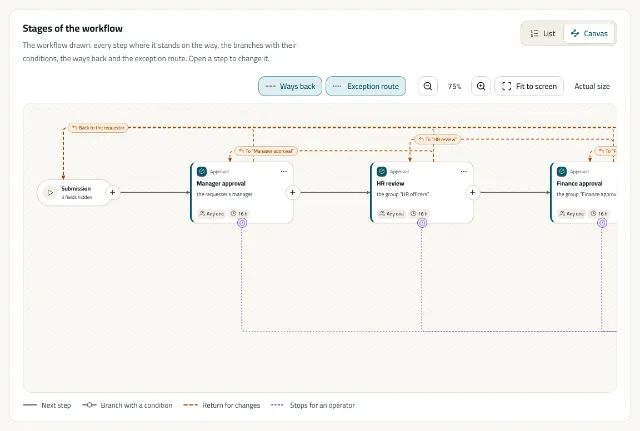
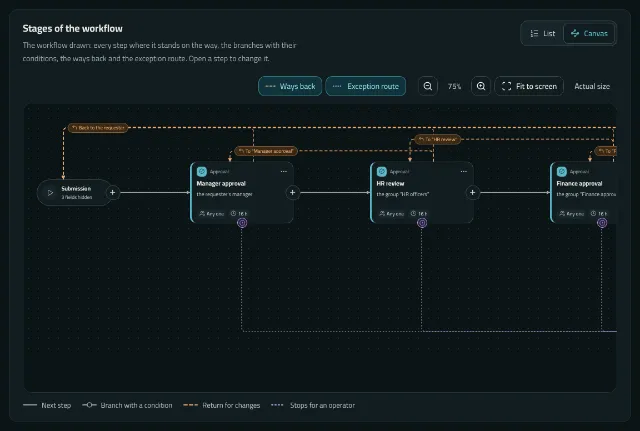
The workflow canvas, drawn in your reading direction
Lay a workflow out as stages, conditional branches and parallel lanes, see the ways back and the exception route, then simulate it before you publish.
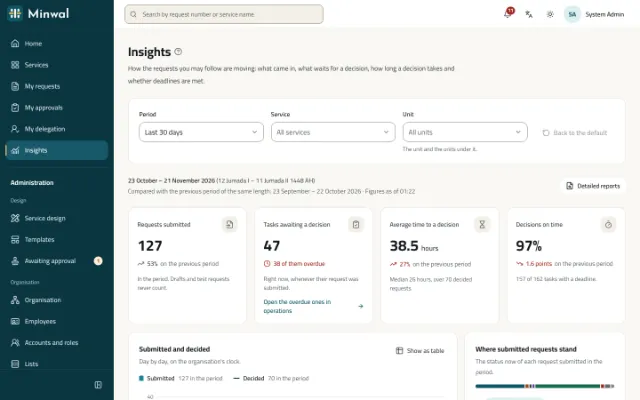
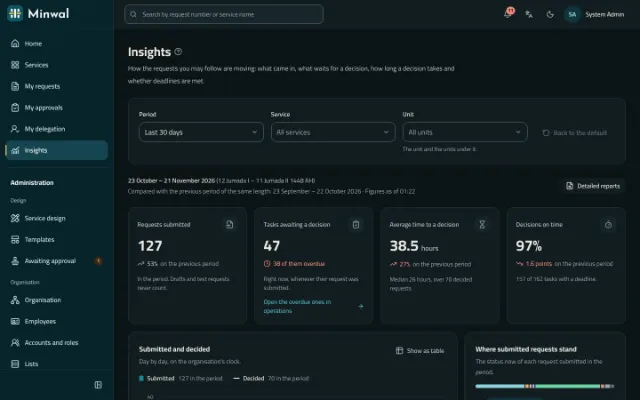
Insights: the whole picture for management
Requests submitted and decided, what waits and what is late, the time to decide and the share of decisions on time, against the previous period.
AI
AI your organisation chooses, with people still deciding
Off until your organisation switches it on. Choose Claude, OpenAI or Gemini, or several in an order tried when one fails, with your own keys. It publishes nothing and decides nothing: it writes a draft or a summary, and people do the rest.
Design a service by describing it
Say what you need in your own words, and get a draft with its form, workflow and access rules. Minwal checks it with its own rules and lists what it left out; then it goes through the designer, test mode and second approval like any draft, and is never published on its own.
A summary for the person deciding
A card on the request's page, on the web and the phone, that sums up what the approver sees, in their language, plainly labelled as advice. Under it, checks worked out by Minwal itself, not the model, such as an amount above the usual for this service or a file field left empty.
- 1Claude (Anthropic)Your chosen provider
- 2OpenAIIf the first fails
- 3Gemini (Google)If the second fails
- Off by default
- Keys stored encrypted; only their last four characters are shown
- On your own servers it can be taken out of the installation entirely
What is sent
- The service's description, and the names and codes of your units, positions, groups and lists
- A request's fields as its reader sees them, its stage names and the kinds of events in its history
What is never sent
- People's names, numbers and contact details
- Keys and passwords
- Confidential requests, while keeping them out is on, as it is by default
Features
Everything a request's life needs, in one product
Fourteen groups of features, each described in full on the features page.
Services and the catalogue
One catalogue of every service, with ready templates, packages and versions that never change.
Form builder
Every field type, rules in a safe language, cascading lists, defaults and fields the system fills.
Workflow designer
A visual canvas, parallel branches, quorum, automated steps, returns and a simulator.
Access control
Allow and deny rules per service, permission bundles and a simulator. The API decides.
Requests and approvals
My Requests and My Approvals with filters, team requests, undo, copy as new, and attachments.
AI, on your terms
Claude, OpenAI or Gemini, off by default: services designed from a description, and a summary for the person deciding.
Deadlines and escalation
Deadlines on a business calendar, reminders, escalation in steps and an operations console.
Notifications
In the app, by email and by push, in each recipient's own language.
Insights and reports
A management dashboard, reports with form data, and Excel export.
Governance and audit
A hash-chained audit trail, a second approval for publishing, retention and legal holds.
Integrations
Signed webhooks, API clients with scoped keys, OpenAPI and automated steps.
Sign-in and the organisation
Usernames and passwords, authenticator codes, OpenID Connect, AD and LDAP sync, SMS codes and a real org structure.
Easy to run
A “?” beside every field, a first-day checklist, an administrator's home, Excel imports and settings in groups.
Arabic first, open to everyone
Right-to-left by design, Hijri dates beside Gregorian, WCAG 2.2 AA, light and dark.
Solutions
Start with the requests that take your organisation the most time
Each area comes with a ready template, its form and its approval workflow, and a page on how it works in Minwal.
Leave and attendance permission requests
Leave and attendance permission requests from the web or the phone, approved by the direct manager and reviewed by HR, with a clear deadline at every stage.
Purchase requisition approval software
A purchase requisition with its items, estimated cost and cost centre, approved by the manager, then finance and senior management by amount, and carried out by procurement.
Expense claim and salary advance approvals
Expense claims with their receipts, and salary advances with their instalments, approved by the manager, then HR and finance side by side before payment.
Store issue and asset custody requests
A store issue request with its items and quantities, and an asset custody request handed over with the asset number and a signed form, each with a clear approval path.
IT support and maintenance request system
IT fault reports and access requests, and maintenance requests for the building and equipment, straight to the right team with a deadline, an urgency and photos.
Employee self-service for government
Employee self-service in Arabic first, with Hijri dates, on the organisation's own servers even without internet access, with Active Directory and a hash-chained audit trail.
Mobile app
Decisions in your pocket
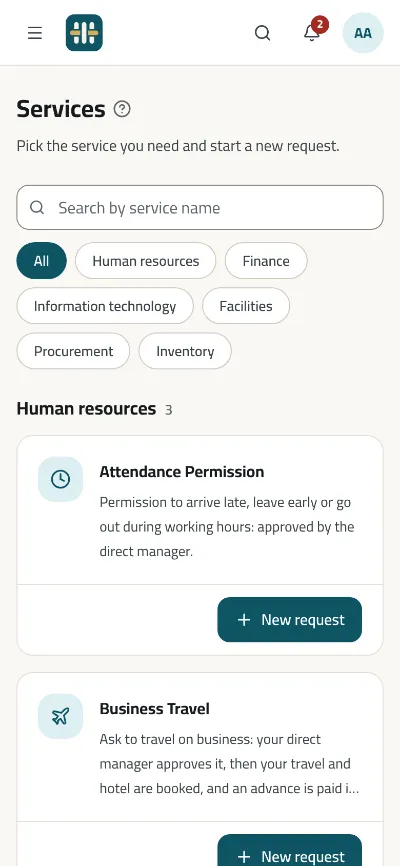
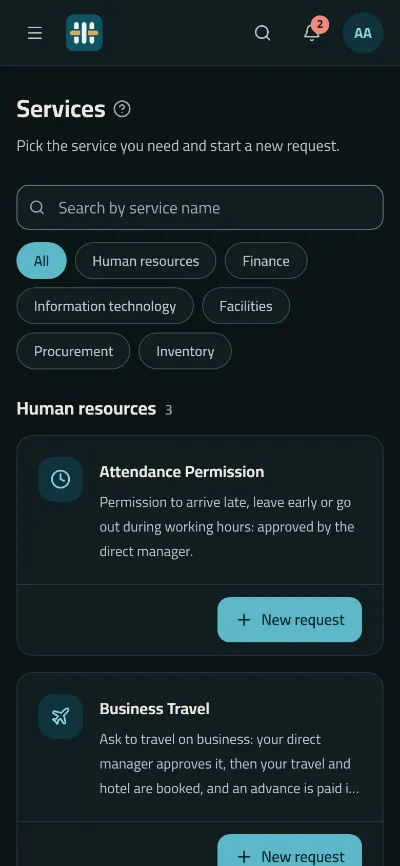
An Android and iOS app for employees and approvers, on the same server and under the same rules as the web.
- Approve, return and reject, each with its reason
- The decision comes after the request's data, and an approval waits five seconds for you to take it back
- Drafts kept sealed offline and sent when the network returns
- Push notifications, and links that open the app
- An app lock with fingerprint or face, and screens kept out of screenshots
Deployment
On your servers, or in the cloud
The same code either way, never a separate version.
Self-hosted
On your own Linux server, even on a network with no internet access, with backup, restore and upgrades that roll back on their own if they fail.
Cloud
Your organisation on the Minwal platform, on a host name of its own with an automatic certificate. Saudi organisations' data stays in the Kingdom.
Security and trust
Every authorisation decision is made on the server
The screens hide what you may not use; the server refuses it. A record you may not see does not even appear to exist.
Organisations kept apart
Every table an organisation owns carries its id, and a test fails the build if one is forgotten.
An audit trail nobody can quietly change
Events chained by hash and verified in the background, so any edit shows.
Files checked
Every upload is scanned for malware, and stored files are scanned again with newer signatures.
Sign-in as organisations expect
Two-step verification, single sign-on with OpenID Connect, and Active Directory sync.
See Minwal with services like your own
We will show you the product on services like yours, and answer the questions of your HR, IT and security teams.
Request a demo