Expense claims and salary advances
Expense claim and salary advance approval software
Employees claim back what they paid from their own pocket for the organisation's work, with their receipts, and ask for an advance on their salary repaid in instalments. Each request goes through their manager and finance, and an advance through HR and finance at the same time, until its payment is recorded.
Money does not tolerate vagueness
An expense claim usually arrives as an envelope of receipts and a table written in a hurry, which finance check line by line before asking about a missing receipt. A salary advance is a personal matter that an employee would rather not carry past many desks, or have read by people it does not concern.
Minwal makes both services clear and controlled: a table of expenses that works out its total, receipts attached to the request, and a workflow that adds senior management when the amount passes a threshold you set. The advance is a confidential service whose data only the people involved can see, and an employee can have only one open at a time.
The result is faster payment with fewer mistakes: no incomplete claim reaches finance, no large advance passes without senior management, and no employee has to ask about their request, because they can see at any moment where it is, whose decision it waits for and by when.
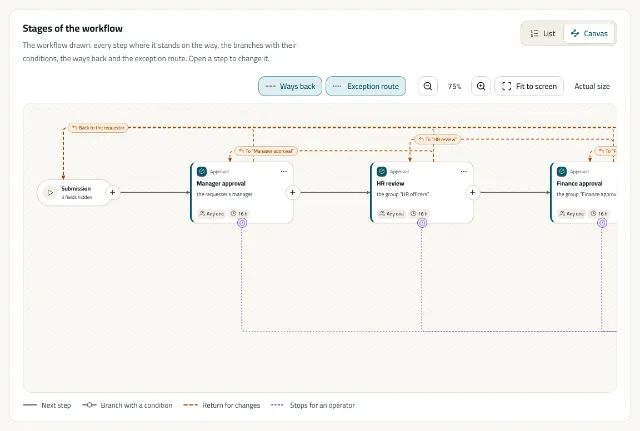
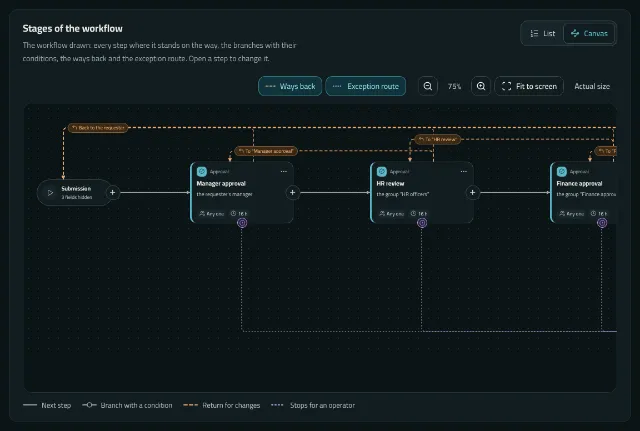
The request's path in the ready template
The salary advance as Minwal draws it: HR and finance are two parallel branches that meet before the higher approval.
The employee submits
For a claim: the purpose, the cost centre and a table of expenses with each line's date, category, description and amount, and the receipts. For an advance: the amount and the months to repay, and the monthly instalment is worked out.
The direct manager approves
The manager reads the data and then decides, and returns the request for a missing receipt with a written reason rather than rejecting it.
Finance, and HR for an advance
Finance review the claim. An advance is reviewed by HR and finance at the same time, and the request goes on only when both have finished.
Senior management, then payment
Above 10,000 senior management approval is added; then finance record the payment reference and date, and the employee is told.
What the form asks
- The employee's name, number and department, filled in by the system, and the hire date for an advance.
- A table of expenses: date, category (transport, meals, accommodation, supplies, communication or other), description, amount, and whether there is a receipt.
- The total worked out, the receipt files, and the cost centre from your list.
- For an advance: the amount, the months to repay, the monthly instalment worked out, and the reason.
- A finance section with its note and the payment reference and date, open only at its stage.
What finance and HR gain
Confidential where it must be
A salary advance is confidential: its data is kept from anyone not involved, in notifications and integrations too, and it never appears in team requests.
Two reviews at once
Parallel branches cut the wait: HR and finance work at the same time, each with its own deadline and reminders.
Fields per stage
A field matrix sets what each stage sees, may edit and must fill in, so only the person paying writes the payment reference.
Reports with the figures
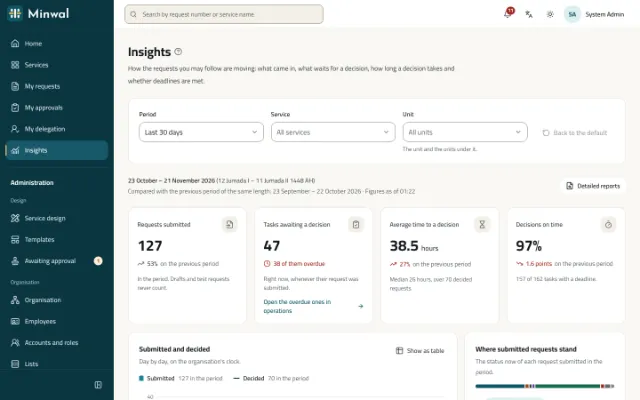
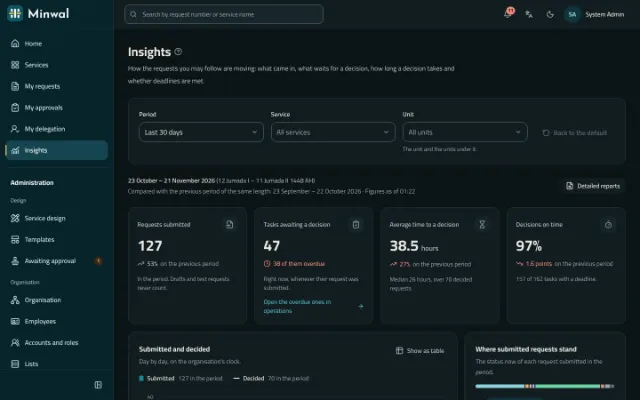
A report for each service with its reportable fields as columns, filters and export to Excel, and in Insights the time to decide and the share of decisions on time.
A summary for the person deciding, if you want it
With AI switched on, the approver sees a summary of the request labelled as advice, and under it checks Minwal works out itself, such as an amount above the usual for this service.
Questions about this solution
Does Minwal deduct advance instalments from salaries?
No. Minwal works out the monthly instalment and runs the request until its payment is recorded; the deduction stays in your payroll system, which can learn of an approved advance through a signed webhook or the API.
Can an employee ask for a second advance before the first is settled?
In the ready template an employee can have only one advance request open at a time, and the service's settings can change that.
What if the employee forgets to attach a receipt?
The approver returns the request with a written reason; the employee attaches the receipt and sends it again, and the request's history keeps that it was returned and why. A service can also make attachments required before submission, and set how many and of which kinds.
Can we change the senior management threshold?
Yes. The template's 10,000 is a number in a workflow condition; change it and try it in the simulator before publishing.
Other solutions
All solutionsLeave and attendance permission requests
Leave and attendance permission requests from the web or the phone, approved by the direct manager and reviewed by HR, with a clear deadline at every stage.
Purchase requisition approval software
A purchase requisition with its items, estimated cost and cost centre, approved by the manager, then finance and senior management by amount, and carried out by procurement.
Store issue and asset custody requests
A store issue request with its items and quantities, and an asset custody request handed over with the asset number and a signed form, each with a clear approval path.
IT support and maintenance request system
IT fault reports and access requests, and maintenance requests for the building and equipment, straight to the right team with a deadline, an urgency and photos.
Employee self-service for government
Employee self-service in Arabic first, with Hijri dates, on the organisation's own servers even without internet access, with Active Directory and a hash-chained audit trail.
Let payments follow your policy on their own
We will show you the salary advance with its two parallel branches, and the expense claim with your thresholds.
Request a demo